Administrators: the whole cohort
Census dayFriday 7 August 2026
This checklist is for administrators who own the school's NCCD submission. It works through the whole cohort: who is included, what the census columns say, and how to fix gaps quickly with batch edit.
Open the Schools Hub report and check who is included
Open Reports → Schools Hub Report. This is the census-ready list of students in NCCD reporting for the year. Check the total, then walk the year-level tabs: is every student you expect to report actually in the list? A student missing here is missing from census.
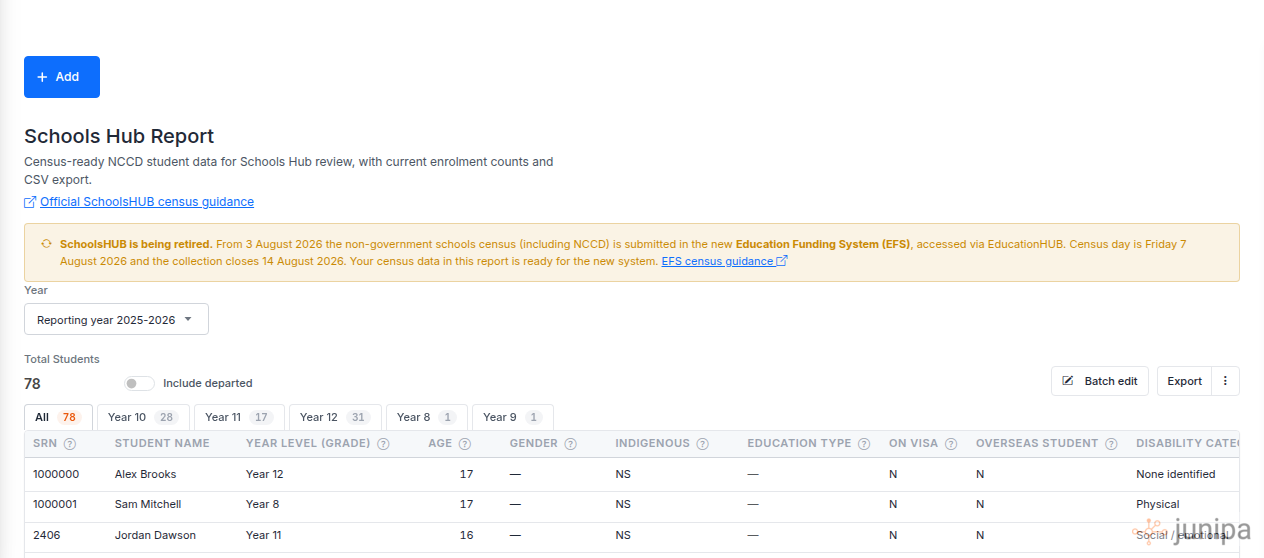
The Schools Hub report: total students, year-level tabs, and the census columns the submission needs. Cross-check the Audit report
Open Reports → Audit and compare it against the hub list. Look both ways: students with collected evidence who are not in NCCD reporting, and students in reporting whose evidence counts are thin. Follow up each one before census day, not after.
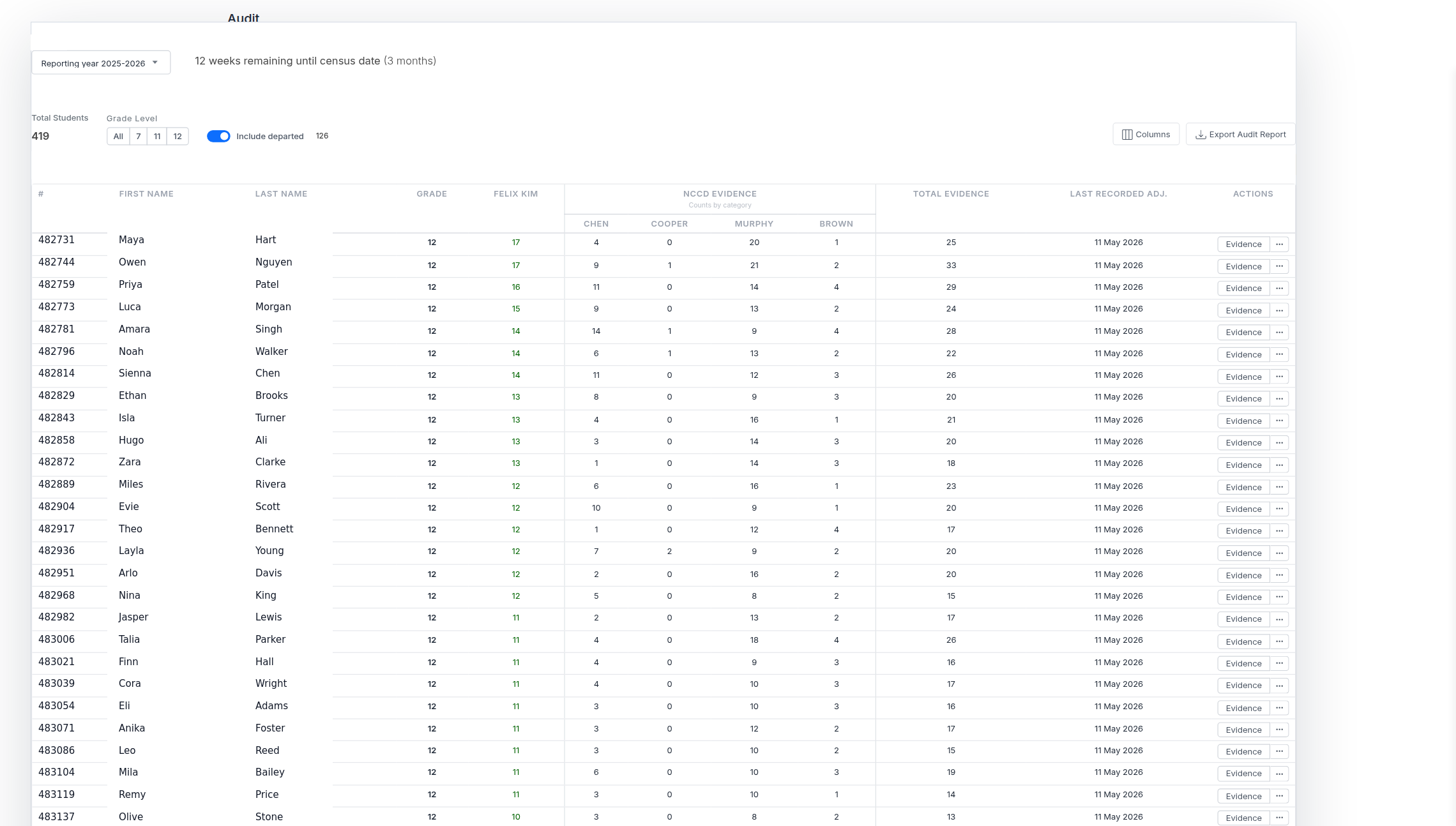
The Audit report shows evidence coverage per student for the reporting year. Check the census columns are filled out
In the Schools Hub report, scan every census column: Gender, Indigenous, Education Type, On visa, Overseas student, Disability Category, Adjustment Level, and FTE. A dash or an NS is a blank the submission will inherit. Note which students have gaps.
Fix the gaps with the census batch edit
Select Batch edit at the top of the Schools Hub report. It opens the student list in census edit mode: the census columns are editable in place and write straight back to the report. Fill the gaps in one pass instead of opening students one by one, then save.
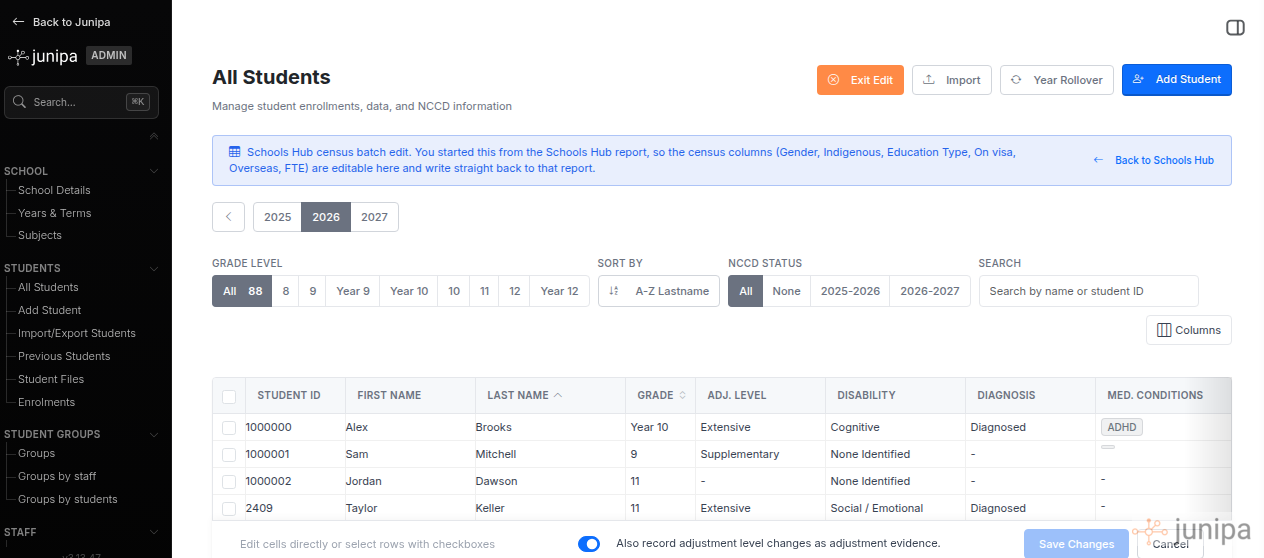
Batch edit from the Schools Hub report: census columns are editable in place and write back to the report. Re-run the report and keep a copy
Open the Schools Hub report again and confirm the gaps are gone. Export the CSV and keep it with your census records. From 3 August 2026 the submission itself happens in the EFS; your Junipa data is ready for it.
While you are here
Teachers own the accuracy of their individual adjustments. Send them the teachers checklist so dating, alignment and files are covered by the people who recorded them. And if any funded student still has no plan, start a plan before census day.