Teachers: your adjustments
Census dayFriday 7 August 2026
This checklist is for teachers, aides and case workers who record adjustments. Before census day, the adjustments you recorded need three things: the right date, the right student, and a clear link to the student's disability, with files attached where they help.
If a student you support has no individual plan yet, that is the biggest gap you can close: a plan keeps every adjustment dated, aligned and visible to the whole team. Start a plan or follow Course 3: Build a plan.
Check your adjustments are correctly dated
Every adjustment has two dates: when the support happened (the evidence date) and when you logged it. The evidence date is the one census cares about. Open a student's evidence log and confirm the evidence dates sit inside the reporting year and match when the support actually happened.
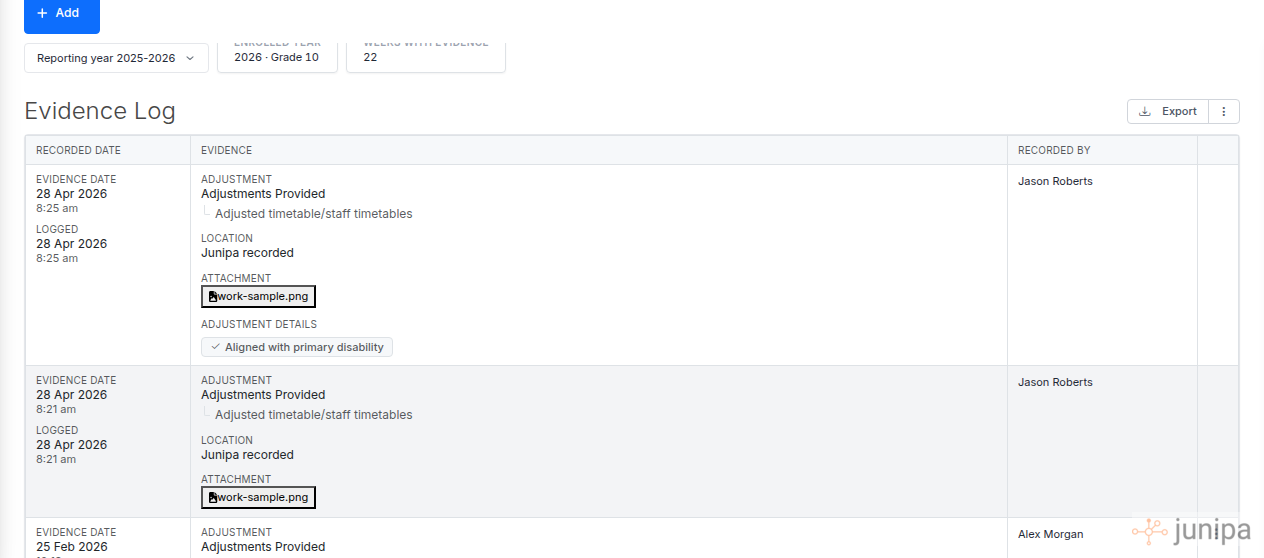
Each entry shows both dates: when the support happened and when it was logged. Batch edit to review everything in one place
On the student record, select Add → Batch edit. Every adjustment for that student appears as one editable table: activity date, NCCD category and subcategory, file evidence, and alignment. Fix a wrong date or category in place. If an entry belongs to a different student, this is where you catch it: check the name at the top before you save.
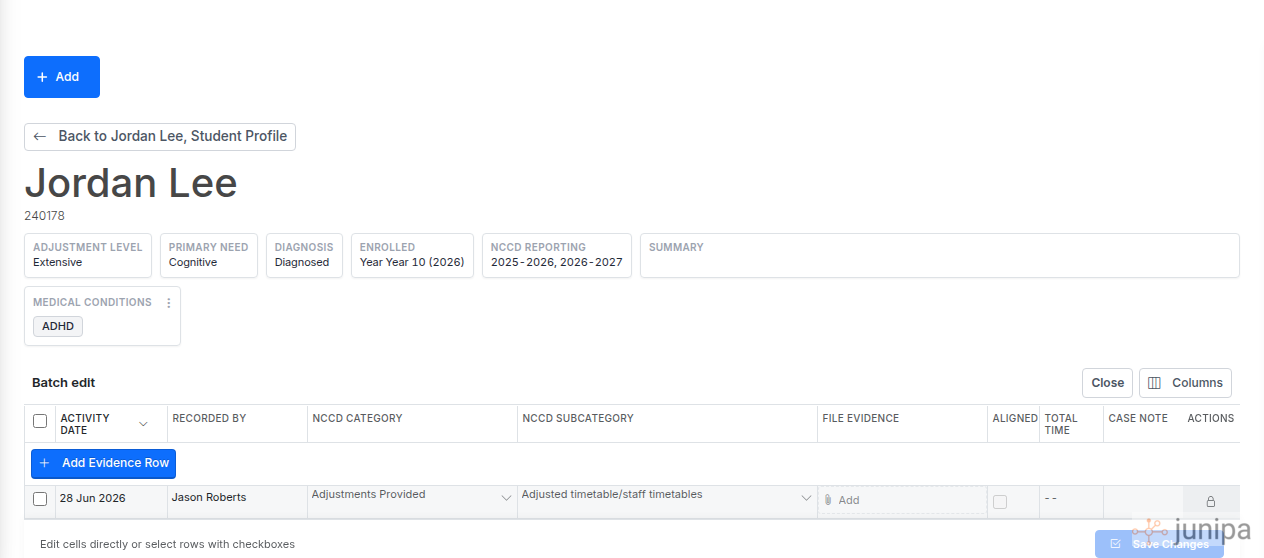
Batch edit on the student record: every adjustment in one table, edited in place. Align with the disability and attach your files
An adjustment counts when it clearly relates to the student's assessed need. Check the aligned marker on each entry, and make sure the NCCD category matches the student's disability category. Then attach anything that shows the support happened: a work sample, a meeting note, an adjusted timetable, a photo. Attachments sit beside the entry in the evidence log, ready for review.
Before census day
Your administrator runs the whole-cohort check in the administrators checklist. Anything you fix here shows up in their Schools Hub and Audit reports straight away, so the earlier you tick these off, the cleaner the school's submission.