Delete adjustments
Delete an adjustment only when it should not stay on the student record.
If the support happened, it usually belongs in Junipa. It may need editing, a follow-up note, or a file attached, not deletion.
When deletion is appropriate
- The adjustment was added to the wrong student.
- The same adjustment was saved twice by mistake.
- The adjustment was created during testing or training.
- The record is blank or clearly accidental.
Delete an adjustment entered in error
- Open the student record.
- Find the adjustment.
- Check whether any note, attachment or plan depends on it.
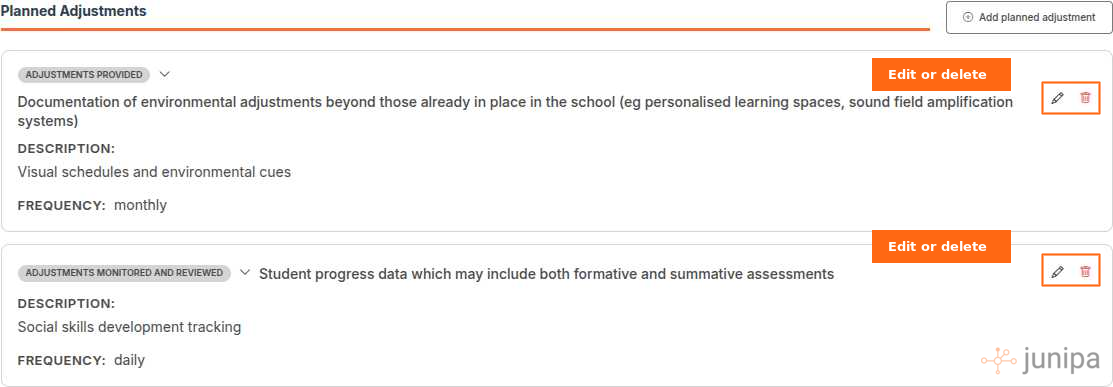
- Open the action menu.
- Choose Delete.
- Read the confirmation message.
- Confirm deletion only if the record should be removed.
Check the record after deletion
Open the student record again and make sure the remaining evidence still makes sense.
If a report prompted the deletion, return to that report and check that the row now looks correct. Start with Audit Report or Evidence Log.
If you are unsure
Pause before deleting. Ask the case manager or learning support lead whether the adjustment should be edited instead.
For a real adjustment with weak detail, use edit adjustments.