Reports for Schools
Junipa reporting is designed to answer practical school questions: which students are ready, which records need follow-up, and which staff member can help fix the gap.
Use the Reports hub when you do not yet know which report you need. Start with the broad view, then move into the report that answers the next question.
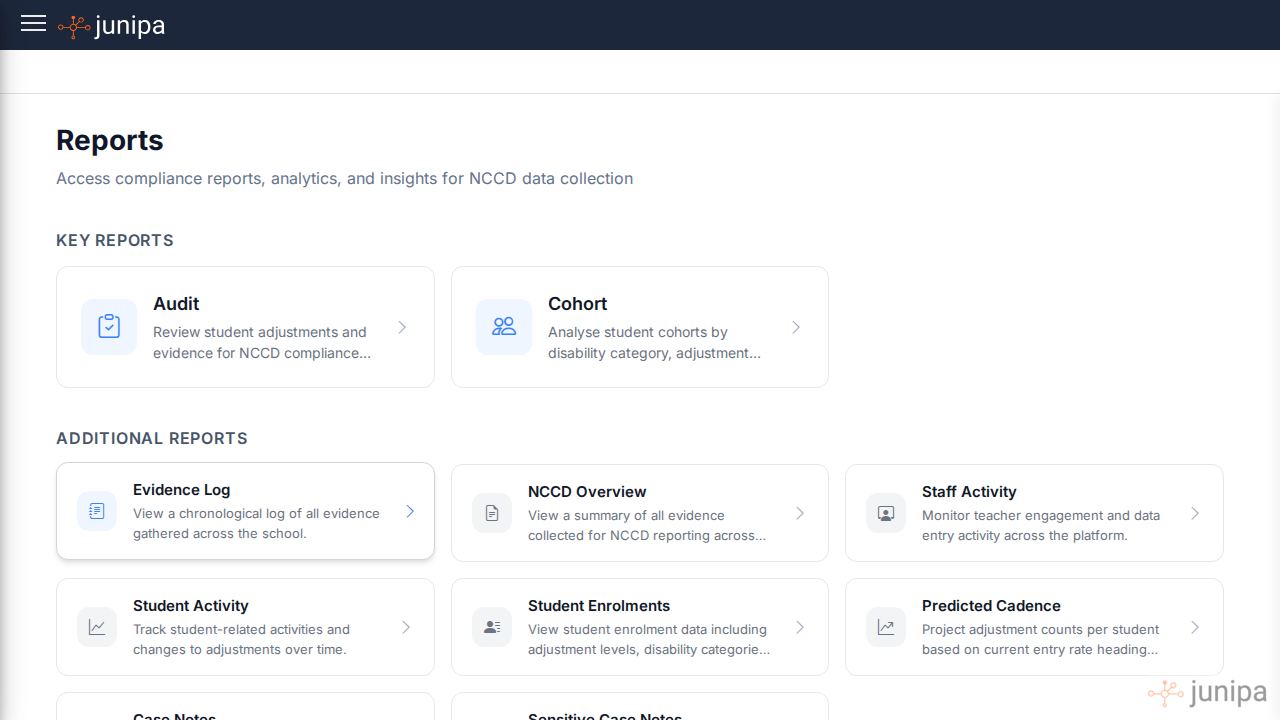
Which report should I open?
| Question | Open this report | What to do next |
|---|---|---|
| Which student records look thin before census? | Audit Report | Scan for missing evidence, unclear adjustment levels and records marked not included. |
| What exactly was recorded, and by whom? | Evidence Log | Check the date, staff member, linked note, plan connection and attachment status. |
| Are our final NCCD numbers taking shape? | NCCD Overview | Check levels of adjustment, disability categories and broad reporting counts. |
| Which students are active in Junipa but not clearly included? | Student Activity | Follow up students with recent support activity and no clear reporting decision. |
| Which students are supported by only one staff member? | Student Support Network | Check who is around each student, then widen the network where it is one person deep. |
| Which school evidence labels map to official NCCD categories? | Mapped NCCD evidence adjustments | Compare what staff selected with the official NCCD wording used for audit trails. |
| Which adjustments have supporting files? | Adjustments with Attachments | Attach modified tasks, plans, meeting notes, work samples or other proof. |
| Which year groups or cohorts have coverage gaps? | Plan Coverage | Use the year group breakdown to decide where leaders should help teachers first. |
| Is the census report ready to submit through School Hubs? | NCCD Overview | Check final levels, categories and included students before submission. |
A simple review order
- Open the Reports hub.
- Open Audit Report to find the broad gaps.
- Open Adjustments with Attachments to find adjustments without supporting files.
- Open Evidence Log to inspect the record trail.
- Open Student Activity to catch students just outside the tidy census list.
- Open Student Support Network to check which students are held by only one staff member.
- Open Plan Coverage to check whether a year group or cohort needs attention.
- Open NCCD Overview when you need the final reporting shape.
Census reporting and School Hubs
Use Junipa before the School Hubs submission step. The NCCD Overview gives the school view to check before final submission: included students, adjustment levels, disability categories and reporting totals.
If the School Hubs report is good to go, export the focused view, save it through the school's approved process and keep Junipa as the live record for any follow-up.
What teachers need from reports
Teachers do not need report language first. They need a clear next action:
- Which student record should I check?
- What adjustment is being claimed?
- What evidence is missing?
- What file, note or example should I add?
- Who will review the record after I update it?
When sharing a report with a teacher, include the student name, the missing item and the action needed. A short request like "Please attach the modified assessment for this adjustment" is more useful than asking a teacher to "fix NCCD evidence".
What leaders should review each week
- Students with evidence but no current adjustment level.
- Students with an adjustment level but no recent evidence.
- Adjustments that have no attachments.
- Students with activity in Junipa but a reporting status of not included.
- Students whose support network is only one staff member deep.
- Year groups with lower evidence coverage than the rest of the school.
- Records that rely on vague notes rather than concrete examples.
The aim is not to create more administration. The aim is to make gaps visible early enough for the school to act calmly.