02Junipa support course
Add evidence
Use this when a teacher, aide or case worker has seen support happen and needs the student record to show it.
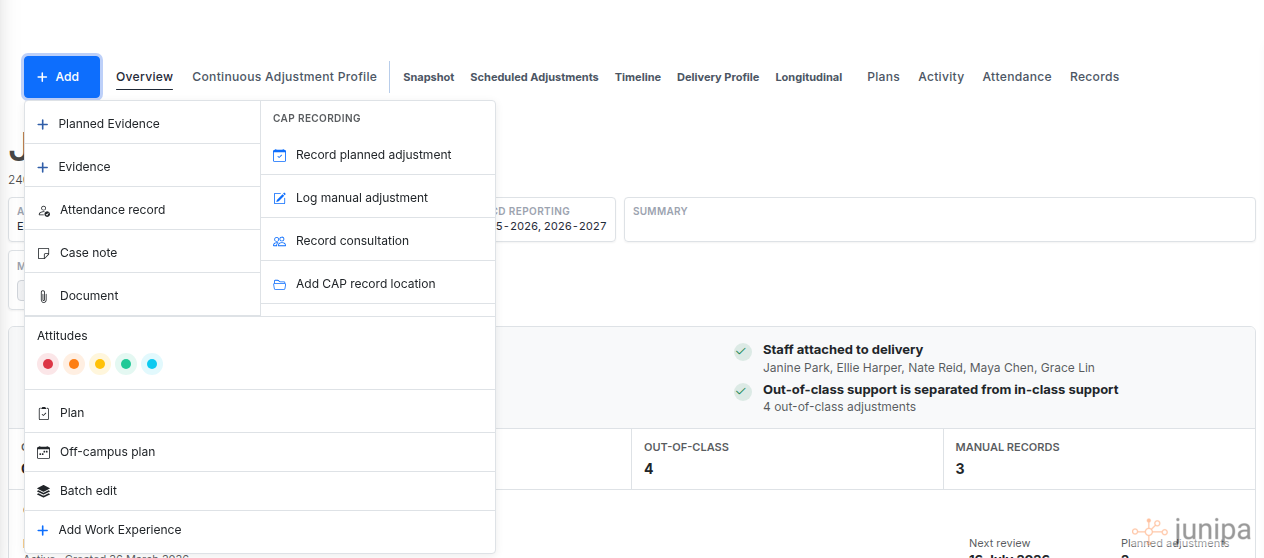
Do this
- Open the student record from your Roster dashboard or student search.
- Select Add at the top of the student record, then choose Evidence.
- Pick the evidence type that matches the support you saw.
- Write what happened in plain teacher language.
- Save the entry while the context is still clear.
Before you move on
- The evidence says what support happened, not just that support happened.
- The entry is attached to the correct student.
- Another staff member could understand the support without asking you to explain it.