11Professional learning course
Check attachment gaps
Use this when a student has adjustments recorded but the evidence file trail may not be complete.
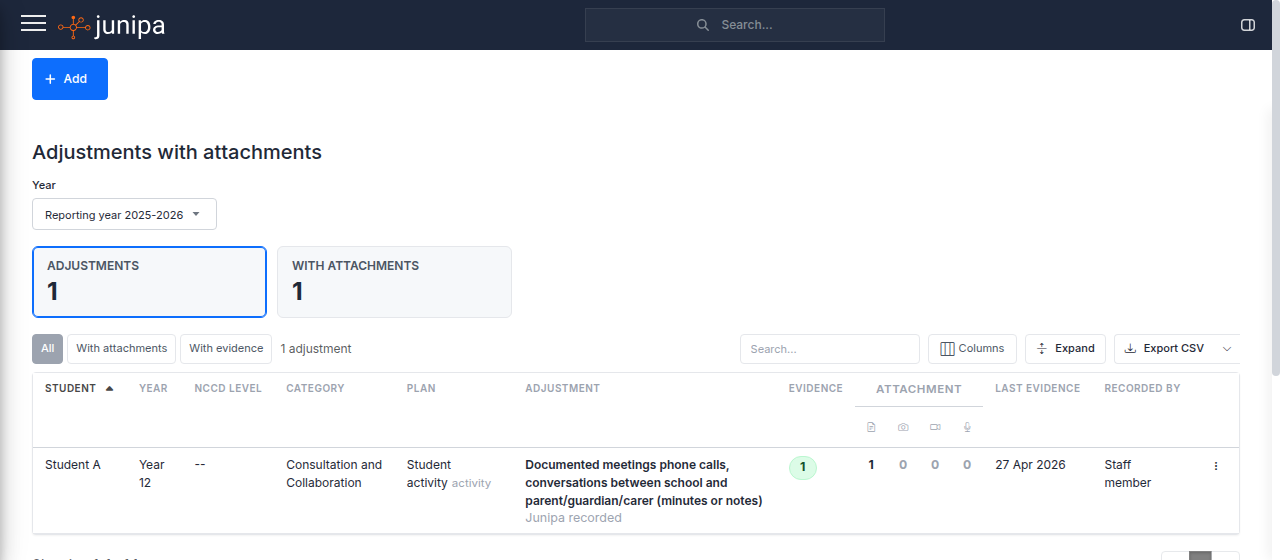
Do this
- Open Adjustments with Attachments.
- Filter to the group, year level or review period you need.
- Look for adjustments without attached files.
- Open the student record and add the missing file or note.
- Recheck the report so the gap is no longer visible.
Before you move on
- Each adjustment has the supporting file or note it needs.
- Missing files are followed up with the right staff member.
- The report is ready to support review or audit work.