Recording level changes as evidence
When a student's adjustment level or disability category changes, Junipa can record that change as a piece of evidence automatically, attributed to the staff member who made it. This keeps a clear, dated trail of every reassessment without anyone having to write it up by hand.
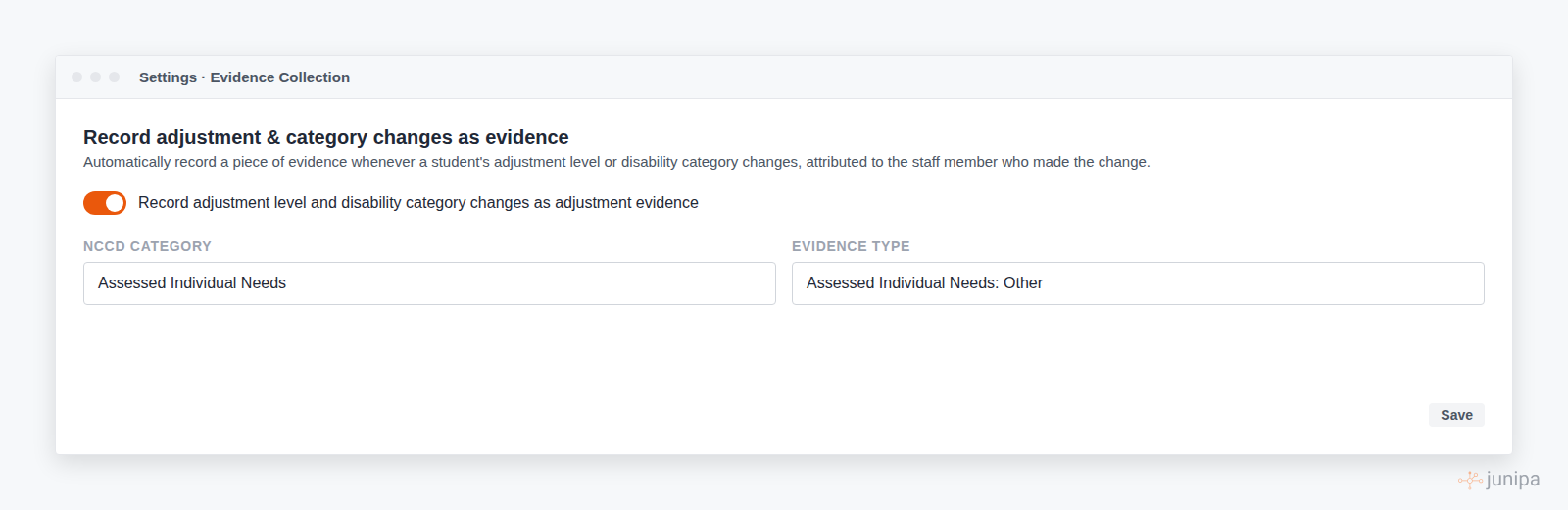
Turn it on for the school
Open Settings, General, find the Evidence Collection card, and look for Record adjustment and category changes as evidence.
- The switch sets the default for the whole school. When it is on, a change is recorded as evidence unless the person making the change opts out at the point of saving.
- NCCD category and Evidence type decide how the recorded evidence is classified. The defaults are Assessed Individual Needs and Assessed Individual Needs: Other. Change these to suit how your school files reassessments.
Where a change can be made
A change to an adjustment level or disability category can come from three places, and each offers a switch to record it as evidence at the moment you save.
- The student journal. When you edit the adjustment level inline, a switch asks whether to include the reassessment as an adjustment record.
- The enrolment form. The same switch sits with the save action on the enrolment screen.
- All students, batch edit. When you change levels across the list, the save bar offers to record the changes as adjustment evidence.
The switch starts in the position set by the school default, and you can flip it for that one save.
What gets recorded
Each recorded change becomes a normal evidence record. It shows in the student's activity log and evidence log, it names the staff member who made the change, and it can be opened and edited like any other record. The change is also captured for the Adjustment Level Changes report, so the report and the evidence stay in step.
Recording begins from the moment the setting is enabled. Earlier changes are not backfilled.